We earn a commission if you buy through our links, at no extra cost to you.
Best Tablet for Drawing Beginners: Pencil, Apps & Screen
Choosing a tablet for art: Apple Pencil Pro vs USB-C vs S Pen, drawing apps by platform, screen size and storage, with three picks for beginners.
At a glance
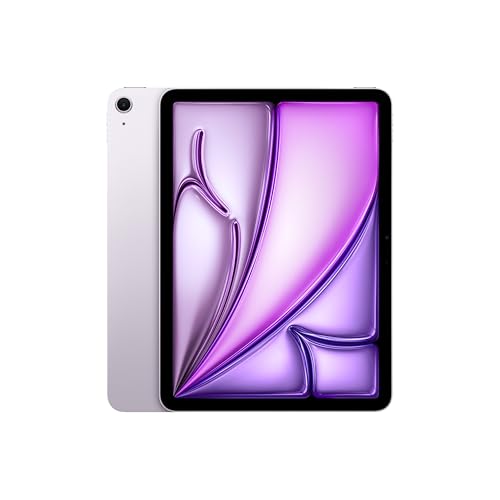
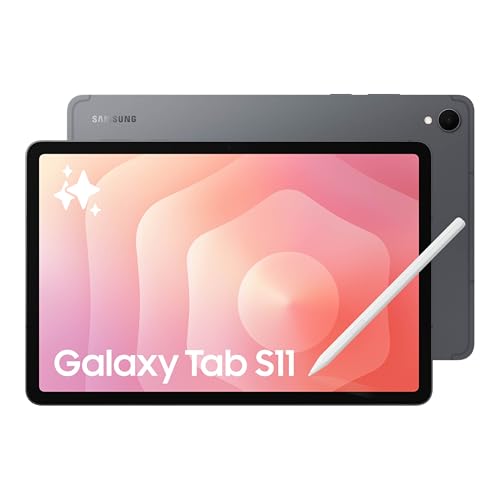
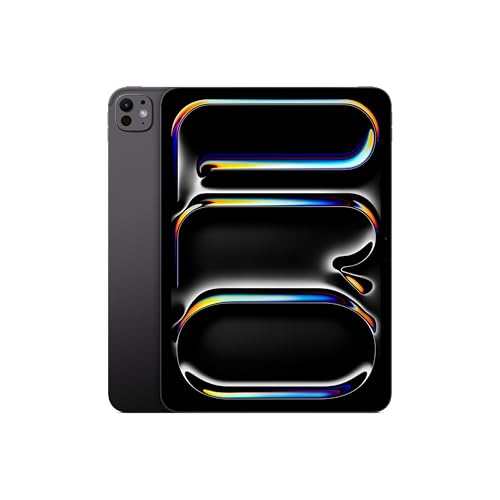
For most beginners, the iPad Air 11-inch (M4) is the pick: a laminated screen, Apple Pencil Pro support and access to Procreate. Android fans can choose the Samsung Galaxy Tab S11, which includes its S Pen. Artists who want an OLED screen should look at the iPad Pro 11-inch (M5).
Searches like “tablet for artists” and “drawing tablet for beginners” turn up very different devices, from a screenless pad that plugs into a laptop to a full iPad. This guide is about standalone tablets, the kind with its own screen, apps and battery, because that is what most art students and hobbyists end up buying. It explains what matters when you draw, then picks three models from our list.
This guide rests on the specifications and descriptions published by Apple, Samsung and the app makers, not on our own time with the tablets. We say so when a number is not published.
Start With the Stylus
The stylus decides how drawing feels, so pick it before you pick the tablet.
Apple Pencil Pro. According to Apple’s Pencil page, it offers pixel-perfect precision, low latency, tilt sensitivity, pressure sensitivity, magnetic attach, wireless pairing and charging, and hover. It also adds double-tap and squeeze to switch tools, barrel roll, haptic feedback, Find My and free engraving. Pressure sensitivity is the feature that matters most for drawing, because it lets one brush make thin and thick lines depending on how hard you press.
Apple Pencil (USB-C). Apple lists the same precision, low latency, tilt sensitivity, magnetic attach and hover, but no pressure sensitivity, no squeeze, no barrel roll and no haptics. It charges through its USB-C cable. It is a fair choice for sketching, handwriting and annotation, and a weaker one if you want lines that react to pressure.
S Pen. Samsung says the S Pen for the Galaxy Tab S11 is included in the box. Samsung’s page describes a redesigned, hexagon-shaped pen with quick tool access in Samsung Notes and PENUP, and says it is IP68-rated like the tablet. The page we opened does not list pressure levels or latency, so check Samsung’s current spec sheet for those.
The practical difference: with an iPad, the Pencil is an extra purchase, while Samsung includes the S Pen. Factor in the Pencil’s cost when you compare.
Latency, Lamination and Palm Rejection
Makers like to say a pen “feels like paper.” Here is what they actually publish.
- Latency. Apple’s Pencil page says “low latency” for both Pencils but gives no figure in milliseconds, and Samsung’s page does not give one either. We do not repeat a number we could not verify.
- Lamination. Apple lists the iPad Air 11-inch (M4), iPad Pro 11-inch (M5) and iPad mini (A20 Pro) as fully laminated with an antireflective coating. It does not list lamination for the base iPad (A16). A laminated display removes the air gap, so the pen tip looks closer to the line it draws.
- Palm rejection. None of the maker pages we opened gives a palm-rejection spec. In practice it is handled by the tablet and by the app, and most drawing apps have settings for it, so look for those on day one.
Treat all of this as manufacturer claims, not guarantees, and check the return policy of wherever you buy.
Apps: Where the Platform Matters
Your app choice is the biggest reason to pick one platform over another.
- Procreate is the app most beginners hear about. According to Procreate, it runs on iPad only, and its iPhone version is a separate app, Procreate Pocket. The site lists 300-plus brushes, layers with blend modes, Drawing Assist and time-lapse playback, and says there are no subscriptions. It is not available on Android.
- Clip Studio Paint lists Windows, macOS, iPad, iPhone and Android. It offers a free trial and sells subscription plans for tablets, according to its site. Samsung’s Tab S11 page lists it as a premium perk, but check the details of that offer.
- ibisPaint says it is compatible with Windows, Mac, iPhone and iPad, and Android phones and tablets. Its site mentions a Premium Membership but does not say what it costs or includes.
- Krita is free and open source. Its download page lists a Google Play version and APK builds for Android and says iPads and iPhones are not supported.
If you want Procreate, you are buying an iPad. If you want Krita, you are buying Android. Clip Studio Paint and ibisPaint run on both, so they are the safe choice if you are undecided.
Screen Size
Bigger gives you more canvas and room for toolbars. Smaller is easier to carry and sketch on in a lap or on a bus.
- 11 inches is the sweet spot. Apple’s 11-inch iPads have a 10.86-inch (Air) or 11-inch screen, and Samsung’s Tab S11 is 11 inches.
- 8 to 9 inches, like the iPad mini (A20 Pro), works for sketchbook-style drawing but feels tight for finished pieces.
- 12 to 13 inches gives a bigger canvas but weighs more. Both Apple and Samsung sell larger models, which we do not cover here.
Matte Screen Protectors
Glass is slippery. Some artists add a matte, paper-textured protector for extra friction and less glare. Results vary. A protector can make the screen look slightly grainy and wear down pen tips faster, and quality differs by brand.
Apple’s alternative is built in, but only at the top: the iPad Pro lists nano-texture glass on 1TB and 2TB models. Samsung sells an Anti-Reflecting Screen Protector separately for the Tab S11 series, according to its page. Neither company says how either feels for drawing, so try a cheap protector before spending on a pricier configuration.
Storage for Layers
Digital art files grow with canvas size and number of layers, and brush packs, reference photos and videos add up. No manufacturer publishes how many layers fit in a given size, so treat these as rough guidelines. 128GB is a reasonable start for a beginner who stores finished work in the cloud. 256GB is more comfortable. There is no card slot on iPads, while Samsung lists microSD support up to 2TB for the Tab S11, sold separately.
Our Picks
Main Pick for Beginners: iPad Air 11-inch (M4)
Laminated, antireflective screen, M4 chip and 12GB of memory, and support for both Apple Pencil Pro and the USB-C Pencil, with Procreate available.
The Air has what a beginner needs and little else. Apple lists a 10.86-inch Liquid Retina display at 2360 by 1640 pixels, fully laminated with an antireflective coating, plus an M4 chip, 12GB of memory and storage options from 128GB to 1TB. It supports Apple Pencil Pro and Apple Pencil (USB-C), so you can start with the cheaper Pencil and upgrade later. The Pencil is sold separately. Read our iPad Air 11-inch (M4) profile for the full specs.
Android Option: Samsung Galaxy Tab S11
11-inch Dynamic AMOLED 2X screen and an S Pen in the box, for people who prefer Android drawing apps.
Samsung says the S Pen comes included with the Tab S11. It lists an 11-inch Dynamic AMOLED 2X display, 128GB, 256GB or 512GB of storage, microSD support up to 2TB, and IP68 dust and water resistance. Samsung lists Clip Studio Paint as a perk, and Krita and ibisPaint are other Android options. Procreate is not available on Android. The page does not describe a built-in antireflective display, only an optional screen protector, and does not give pen latency. Our Galaxy Tab S11 profile has the rest of the specs.
For the Top Screen: iPad Pro 11-inch (M5)
Tandem OLED display with 120Hz ProMotion and optional nano-texture glass, for artists who want the top screen and room to grow.
Apple lists a 2420 by 1668 pixel tandem OLED display, ProMotion up to 120Hz, a fully laminated antireflective screen and an M5 chip. The Pro supports the same two Pencils as the Air. It costs more, and the nano-texture option is limited to 1TB and 2TB models. Beginners who are unsure about drawing should start with the Air. See the iPad Pro 11-inch (M5) profile for details.
Cheaper and Smaller Alternatives
The iPad 11-inch (A16) works with the USB-C Pencil, but Apple’s page does not list lamination, an antireflective coating or wide color for it, and it does not support Pencil Pro. It is a fine first iPad for casual sketching. Our iPad mini profile explains the compact option.
A Different Product: Pen Displays for Computers
If you hear “drawing tablet” and think of Wacom, that is a separate category. Pen displays and graphics tablets connect to a Mac or PC and run desktop software, and they have no apps or battery of their own. We do not cover them here. The tablets in this guide are standalone, which is why most beginners start with them.
Which Should You Buy?
Choose the iPad Air if you want Procreate and a simple path. Choose the Galaxy Tab S11 if you want Android and a stylus in the box. Choose the iPad Pro if the display is your priority and your budget allows it.
Sources
Frequently asked questions
What is the best tablet for a beginner artist?
For most beginners we pick the iPad Air 11-inch (M4): a laminated, antireflective screen, support for Apple Pencil Pro, and access to Procreate. If you prefer Android and want a stylus in the box, the Samsung Galaxy Tab S11 includes its S Pen, according to Samsung.
Do I need the Apple Pencil Pro to learn to draw?
No. Apple's USB-C Pencil has low latency, tilt sensitivity, magnetic attach and hover, so it covers sketching and line work. It does not have pressure sensitivity, which the Pro adds, so buy the Pro if you want lines that get thicker as you press harder.
Is Procreate available on Android?
No. Procreate says it runs only on iPad, and its iPhone version is a separate app called Procreate Pocket. On Android, look at Clip Studio Paint, ibisPaint or Krita, which list Android versions.
Is a matte screen protector worth it for drawing?
It can add friction that some people like, but it changes how the screen looks, and results vary by product. Apple offers nano-texture glass only on the 1TB and 2TB iPad Pro models. Samsung sells an Anti-Reflecting Screen Protector separately for the Tab S11 series.
How much storage do I need for digital art?
It depends on canvas size and layer count, and none of the manufacturers publish a figure for it. A beginner can start with 128GB, but 256GB gives more room for large canvases, fonts, reference photos and downloaded brushes. None of the tablets here has a microSD slot except the Galaxy Tab S11, which Samsung says supports up to 2TB cards.
Is a tablet the same as a drawing tablet for a computer?
No. A pen display or graphics tablet from a company like Wacom connects to a computer and runs desktop software. The tablets here are standalone, with their own screen, apps and battery.