We earn a commission if you buy through our links, at no extra cost to you.
Comparison
Best Tablets of 2026: 10 Models Ranked by Use
We compared the published specs of 10 tablets for 2026, from the iPad Air to the Galaxy Tab S11 and Fire kids models, and ranked them by who each one suits.
B By the Best Tablet Guide editorial team ·Published
At a glance
Most people should start with the iPad Air 11-inch (M4): a fast M4 chip, a laminated screen and Apple Pencil Pro support. The iPad 11-inch (A16) is the value iPad for families and students, and the Samsung Galaxy Tab S11 is the Android pick, with an S Pen in the box.
Choosing a tablet is mostly a question of what you want to do with it. A student who takes handwritten notes needs something different from a family that wants a screen for the back seat, and both need something different from a person who wants a big display for movies. We compared the specifications published by Apple, Samsung, OnePlus and Amazon, read the sources listed at the end and ranked ten tablets by who each one suits. We did not handle these devices ourselves, and where a manufacturer does not state a figure, we say so instead of guessing.
How We Chose
Six questions sort the field quickly.
Operating system and apps. iPadOS has the broadest selection of tablet-optimized apps. Android tablets from Samsung and OnePlus use Google Play. Fire tablets run Fire OS and use the Amazon Appstore instead of Google Play.
Screen. Size, panel type and coatings matter. A laminated display puts the pen tip closer to the line you draw, and OLED or AMOLED panels show deeper blacks than LCD.
Stylus. Samsung puts an S Pen in the box with the Galaxy Tab S11 and Galaxy Tab S10 FE. Apple sells its Pencil separately, and Pencil Pro adds pressure sensitivity, squeeze and barrel roll that the USB-C Pencil lacks.
Storage. iPads have no microSD slot, while the Samsung and Fire tablets here accept a memory card. Base storage of 128GB fills up with video and layered art.
Software support. Samsung announces long update windows. Apple does not promise a number of years on the pages we opened, and OnePlus promises a shorter window.
Fit for the person. A tablet for a child, for a student and for a movie fan are different purchases, so our ranking also reflects who each model is built for.
We list model names and years on purpose. Apple, Samsung and Amazon keep older models on sale, and names such as “Fire HD 10” have been reused across generations.
Comparison Table
#
Tablet
Screen
Chip
Storage
Stylus
OS
1
Apple iPad Air 11-inch (M4)
10.86-inch Liquid Retina (IPS), laminated
Apple M4
128GB to 1TB, no card slot
Apple Pencil Pro or Apple Pencil (USB-C), sold separately
iPadOS
2
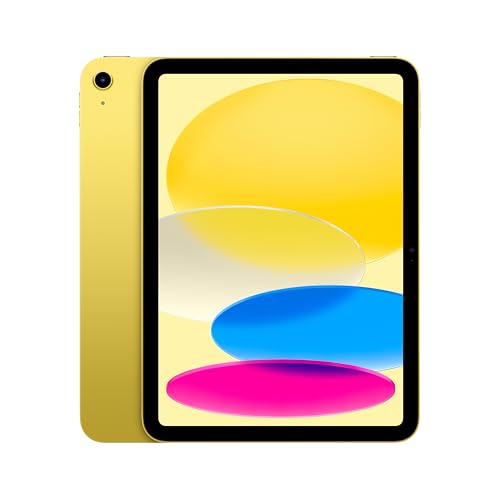
Apple iPad 11-inch (A16)
11-inch Liquid Retina
Apple A16
128GB to 512GB, no card slot
Apple Pencil (USB-C), sold separately
iPadOS
3
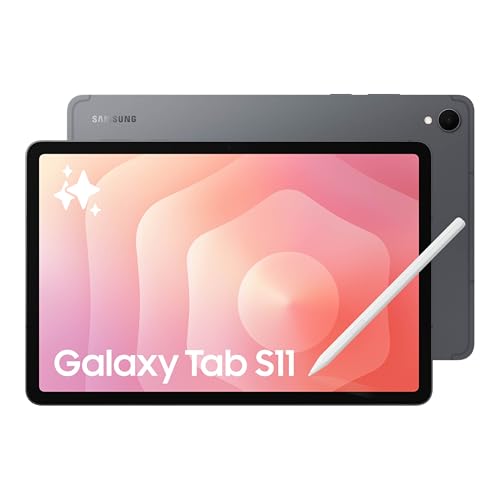
Samsung Galaxy Tab S11
11-inch Dynamic AMOLED 2X
3nm MediaTek
128GB in our listing, microSD up to 2TB
S Pen included
Android
4
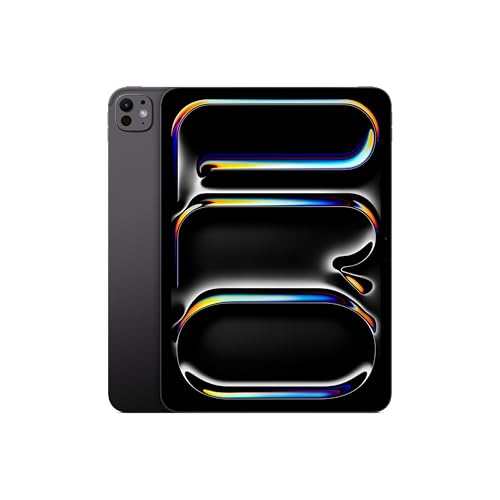
Apple iPad Pro 11-inch (M5)
11-inch tandem OLED, 120Hz
Apple M5
256GB to 2TB, no card slot
Apple Pencil Pro or Apple Pencil (USB-C), sold separately
iPadOS
5
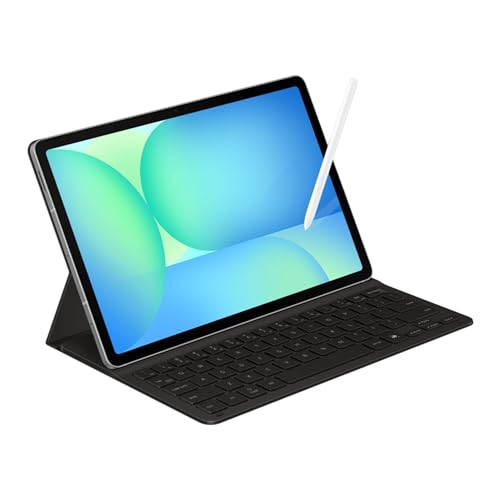
Samsung Galaxy Tab S10 FE (keyboard bundle)
10.9-inch LCD, up to 90Hz
Exynos 1580
128GB in our listing, microSD up to 2TB
S Pen included
Android
6
Apple iPad mini (A20 Pro)
8.5-inch OLED
Apple A20 Pro
128GB to 512GB, no card slot
Apple Pencil Pro or Apple Pencil (USB-C), sold separately
iPadOS
7
OnePlus Pad 3
13.2-inch LCD, 144Hz
Snapdragon 8 Elite
256GB in our listing
Stylo 2 stylus, sold separately
OxygenOS 15 (Android 15)
8
Amazon Fire HD 10 (2023, 4GB RAM)
10.1-inch, 1920 x 1200
Octa-core 2.0GHz
32GB, microSD up to 1TB
Stylus supported per Android Central, sold separately
Fire OS
9
Amazon Fire HD 10 Kids
10.1-inch, 1080p
Not stated
Not stated
Not stated
Fire OS
10
Amazon Fire HD 8 Kids
8-inch, 1280 x 800
Not stated
32GB listed, microSD slot
Not stated
Fire OS
Sources for each row are in the profile linked from its section below. The Galaxy Tab S10 FE listing is a bundle with a Book Cover Keyboard Slim, and the iPad Air screen size is Apple’s diagonal measurement.
1. Apple iPad Air 11-inch (M4) — The Right Pick for Most People
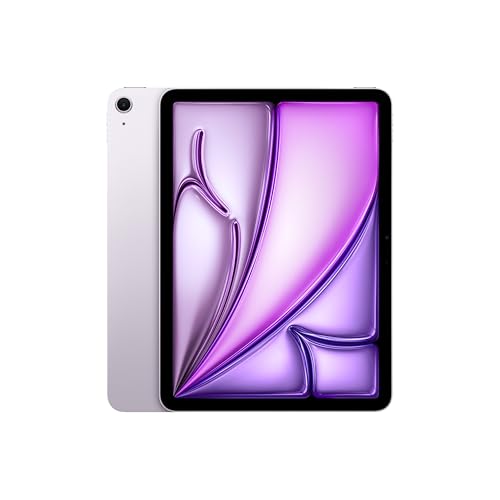
According to Apple, the iPad Air 11-inch runs the M4 chip with an 8-core CPU, a 9-core GPU and 12GB of unified memory, a generous amount for a tablet in this tier. The 10.86-inch Liquid Retina display is fully laminated with an antireflective coating, and Apple lists wide color, True Tone and Pencil hover. It supports both Apple Pencil Pro and Apple Pencil (USB-C), and it adds Wi-Fi 7 and USB 3 speeds on the USB-C port.
It ranks first because it covers nearly every common use without the compromises of cheaper models or the extras of the Pro. Reading, video, homework, note-taking, light drawing and email are all comfortable, and a chip this strong should age well. The trade-offs are 128GB of base storage, no microSD slot and a Pencil sold separately. Read the full breakdown in our iPad Air 11-inch (M4) profile.
Apple lists the A16 chip, an 11-inch Liquid Retina display at 2360 by 1640 pixels, USB-C, Touch ID and storage from 128GB to 512GB. It supports the Apple Pencil (USB-C) and, through an adapter, the first-generation Apple Pencil. It does not support the Pencil Pro, according to Apple’s Pencil page.
It sits second because it does everyday tablet work without fuss at the low end of Apple’s range. Streaming, e-books, video calls, schoolwork and games are well within its reach. Apple’s spec page does not list the memory, a laminated screen or an antireflective coating, so artists and heavy multitaskers will be happier on the Air. For a family or a student on a budget, it is the simplest recommendation. See our iPad 11-inch (A16) profile for details.
3. Samsung Galaxy Tab S11 — The Best Android Tablet
Samsung describes the Tab S11 series with a Dynamic AMOLED 2X display, a 3nm MediaTek chipset, Wi-Fi 7, IP68 water and dust resistance for the tablet and the S Pen, and microSD expansion up to 2TB. The S Pen comes in the box, and Samsung DeX turns the interface into a windowed desktop when you connect a keyboard. Samsung says the Ultra model in the series gets seven generations of Android upgrades and seven years of security updates, so confirm the policy for the 11-inch model on Samsung’s page.
It ranks third because the iPads are better supported by tablet-specific apps, but no other Android tablet in this group pairs a premium screen with a pen in the box. The costs are the premium tier and optional Galaxy AI features that may involve fees or an account. Our Samsung Galaxy Tab S11 profile has the full picture.
4. Apple iPad Pro 11-inch (M5) — The Premium Pick for Creative Work
Apple’s Ultra Retina XDR display uses tandem OLED, runs at up to 120Hz with ProMotion, is fully laminated and antireflective, and reaches a 1600-nit peak for HDR content. The M5 chip comes with 12GB of memory on the 256GB and 512GB models and 16GB on the larger ones. The body is 5.3mm thick and lighter than the 11-inch Air, and the USB-C port is Thunderbolt/USB 4. Apple offers nano-texture glass only on the 1TB and 2TB models.
It ranks fourth because it is the best screen and the most headroom, but most people do not need either. The Air supports the same two Pencils and shares the laminated, antireflective glass. Choose the Pro if drawing for long sessions, editing video or viewing HDR content is central to how you use a tablet. Our iPad Pro 11-inch (M5) profile explains which storage tier gets which features.
5. Samsung Galaxy Tab S10 FE (Keyboard Bundle) — The Student Pick
Samsung lists a 10.9-inch LCD with an adaptive refresh rate up to 90Hz, the Exynos 1580 chip, IP68 resistance, an included S Pen and microSD up to 2TB. A Notebookcheck launch report adds 8GB of RAM on the entry model, an 8,000 mAh battery and a seven-year software update promise, which we treat as secondary information. The listing we link is a bundle that includes a Book Cover Keyboard Slim, a US version and a two-year manufacturer warranty according to the listing title, so confirm the terms with the seller.
It ranks fifth because the LCD and mid-range chip give up some of the S11’s polish, but a pen and keyboard in one package is hard to beat for a student. Heavy gaming and long video edits are where it falls behind. Read our Samsung Galaxy Tab S10 FE profile before you order.
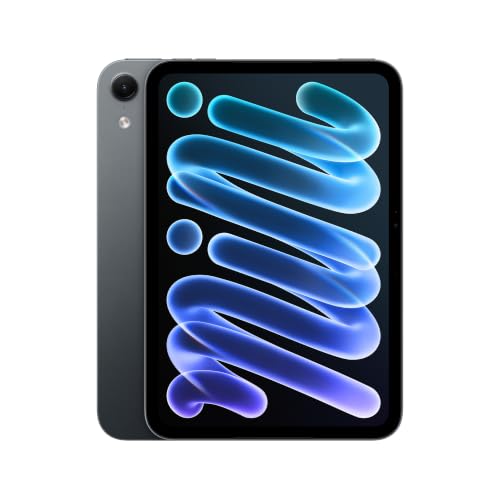
Apple lists an 8.5-inch OLED display at 326 pixels per inch, the A20 Pro chip, Wi-Fi 7, IP67 water resistance and support for Apple Pencil Pro and Apple Pencil (USB-C). The Wi-Fi model weighs 0.56 pound, roughly half the weight of the 11-inch iPad Air. Apple’s page does not list the amount of memory or a refresh rate, and there is no memory card slot.
It ranks sixth because the small screen is the point and also the limit. It is a great reading, travel and sketching companion, and one hand can hold it for a long time. Split-screen apps, layered art and long typing sessions get cramped. See our iPad mini (A20 Pro) profile for the details.
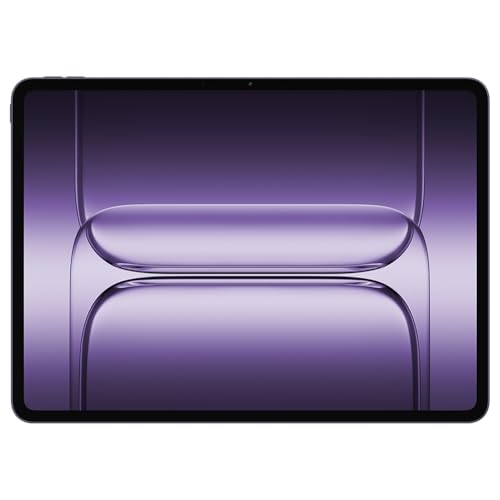
OnePlus lists a 13.2-inch LCD at 3392 by 2400 pixels and 144Hz, a Snapdragon 8 Elite chip, 12GB of RAM and 256GB of storage in the configuration we link, and a 12,140 mAh battery with 80W charging. Droid Life reports that the tablet ships with OxygenOS 15 on Android 15, that OnePlus promises three Android OS updates and six years of security patches, and that the Smart Keyboard, Folio Case and Stylo 2 stylus are separate purchases.
It ranks seventh for two reasons: the stylus and keyboard are extra, and OnePlus’s page carries a US-market support notice, so confirm warranty and update information before you buy. The hardware is strong, and a screen this size is excellent for movies, comics and split-screen work. At 675g, it suits a desk, a stand or a lap better than one-hand reading. Our OnePlus Pad 3 profile covers the open questions.
8. Amazon Fire HD 10 (2023, 4GB RAM) — The Budget Streaming Tablet
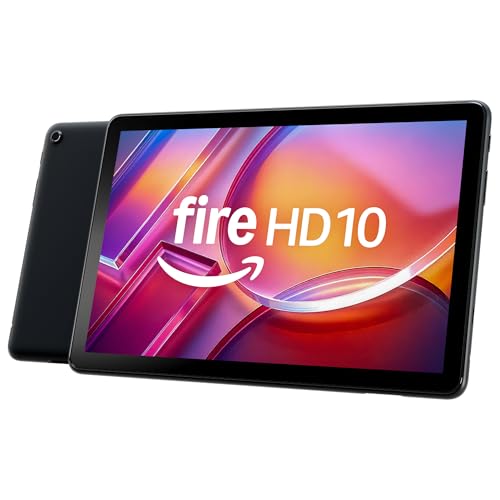
According to Android Central’s 2023 launch report and a July 2026 Notebookcheck report, this 13th-generation tablet has a 10.1-inch 1920 x 1200 screen, an octa-core 2.0GHz processor, up to 13 hours of battery and microSD support up to 1TB. The listing we link is the 32GB Black version with 4GB of RAM and lockscreen ads, and similar listings may have 3GB.
It ranks eighth because performance is modest and apps come from the Amazon Appstore, not Google Play. For streaming, e-books, web browsing and video calls it does the job at the low end of the market. Search the Appstore for your top apps before you buy. Our Amazon Fire HD 10 (2023, 4GB RAM) profile explains the ads and the model variations.
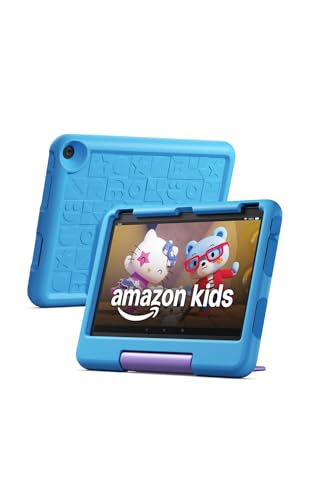
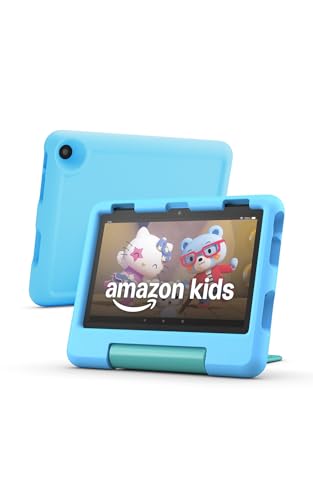
Amazon sells this tablet for ages 3 to 7 and we do not recommend it for children under 3. It has a 10.1-inch 1080p display, 3GB of RAM and up to 13 hours of battery according to Amazon, plus a kid-friendly case and, per Android Central, 12 months of Amazon Kids+. Amazon says the Parent Dashboard supports up to four children and lets parents set daily limits, educational goals, age filters and web browsing options.
It ranks ninth only because it is a specialized device, and the big screen is the draw for shared viewing and children at the older end of the range. Parental controls are tools, not guarantees, and supervision still matters. Read our Amazon Fire HD 10 Kids profile for the Kids+ details and what to check on the listing.
10. Amazon Fire HD 8 Kids — The Portable Kids Tablet
This 2024 model has an 8-inch 1280 x 800 display, a microSD slot, a headphone jack, up to 13 hours of battery according to the manufacturer and a kid-proof case. Notebookcheck lists it at 18.3 oz (518g), and Amazon says its Kids lineup supports cards up to 1TB. It is made for ages 3 to 7, and we do not recommend it for children under 3.
It closes the list because it is the smallest and most specialized, but for small hands, bags and car rides it is the easier tablet to live with. Download shows and games ahead of time so they play offline, and keep headphone volume low. See our Amazon Fire HD 8 Kids profile for the details.
Recommendations by Use and Budget
Here is how we would sort the ten models, in ranking order.
Most people: the iPad Air 11-inch (M4), for the balance of speed, screen and Pencil support.
Families and students on a budget: the iPad 11-inch (A16), as long as you do not need the Pencil Pro.
The iPad Air 11-inch (M4) is the tablet we would point most readers to, because it avoids the compromises of cheaper models and the extras of the Pro. The iPad 11-inch (A16) is the sensible budget-minded alternative, and the Galaxy Tab S11 is the Android pick. Further down the list, the choice depends on a specific need: a pen and keyboard bundle, a pocketable screen, a large display, a low-cost streamer or a first tablet for a young child. Check what is in the box, decide which stylus you need, and choose storage with care when there is no memory card slot.
We rank the iPad Air 11-inch (M4) first. It pairs Apple's M4 chip and 12GB of memory with a laminated, antireflective display and support for both Apple Pencil models. If you want to spend less, the iPad 11-inch (A16) covers everyday use.
What is the best Android tablet on this list?
The Samsung Galaxy Tab S11. Samsung includes the S Pen, lists IP68 water and dust resistance and uses a Dynamic AMOLED 2X screen. The Galaxy Tab S10 FE is the step down, and the OnePlus Pad 3 is the pick for a larger screen.
Do I need to buy the Apple Pencil separately?
Yes, for every iPad here. Apple sells the Pencil separately. Samsung includes the S Pen with the Galaxy Tab S11 and Galaxy Tab S10 FE, and the OnePlus Pad 3 stylus is sold separately.
Can Fire tablets use Google Play apps?
Not out of the box. Fire tablets run Fire OS and get apps from the Amazon Appstore instead of Google Play. Search the Appstore for your key apps before you buy.
Which tablet is right for a child aged 3 to 7?
Amazon makes the Fire HD 8 Kids and Fire HD 10 Kids for ages 3 to 7 and we do not recommend them for children under 3. The 8-inch model is lighter, and the 10-inch has the bigger screen. Parental controls are tools to set limits, not guarantees.
Is the Galaxy Tab S10 FE listing the tablet alone?
No. The listing we link is a bundle of the Galaxy Tab S10 FE 128GB Wi-Fi tablet and a Book Cover Keyboard Slim. Samsung's own page lists its Book Cover Keyboard as a separate accessory, so check what is in the box.